


It turned out to be one of the best and most user-friendly products I’ve come across in a long time. Now I use it whenever I’m working on building APIs.
Here is how I use it in my workflow:
Whenever there is a new entry-level component that the UI will interact with, it needs to have an endpoint.
One way to test that endpoint is to open the API URL in the browser and test it manually. While this is the most straightforward method, it’s not the most efficient one.
To automate this process, I use EchoAPI. Using EchoAPI also ensures that my API doesn’t break if I make any changes to the codebase.
Why do I need to test my API endpoints while developing my API?
Primarily to improve developer experience. You should always aim to automate as much as possible in your workflow.
Example of a basic workflow of how I use EchoAPI to debug my API
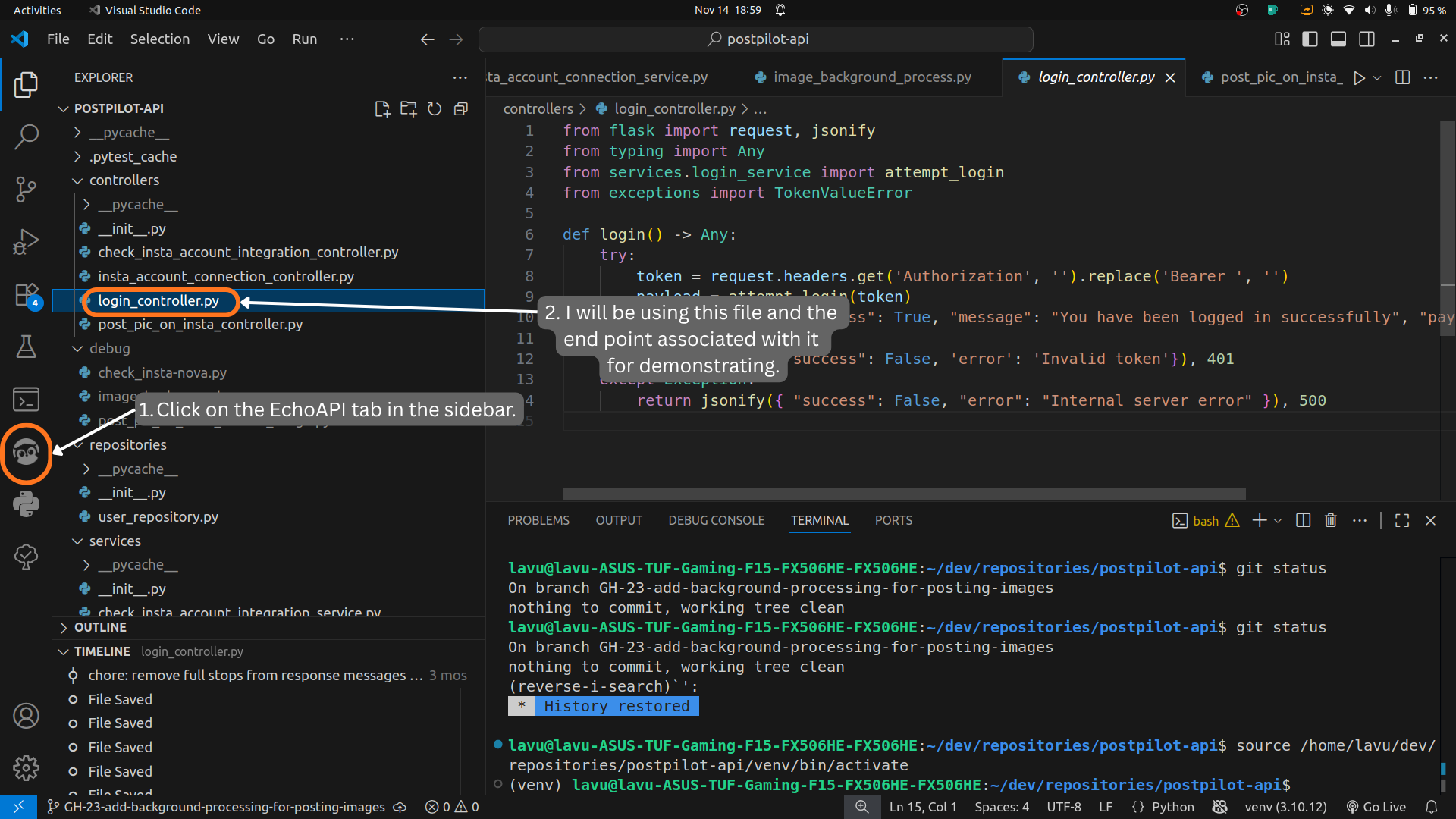
Suppose I’m working on a new component named login_controller.py. I need to make sure that the endpoints work correctly and that the login token validation works properly. That means it should allow the user to log in when the token is valid, and it should deny the user access if the token is invalid.
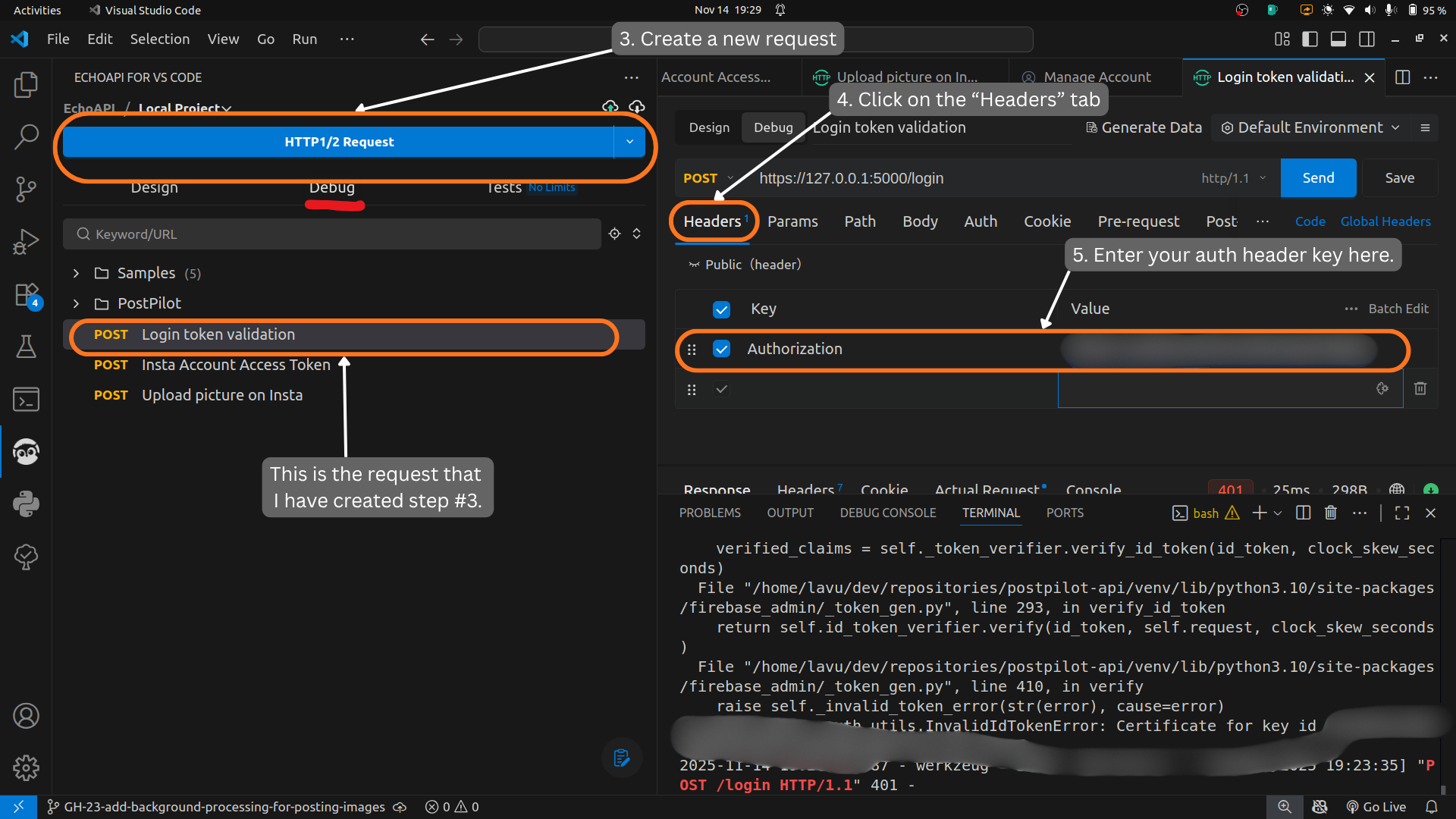
To test this endpoint, I go to the EchoAPI tab on the left side of VS Code and click on the Debug tab.
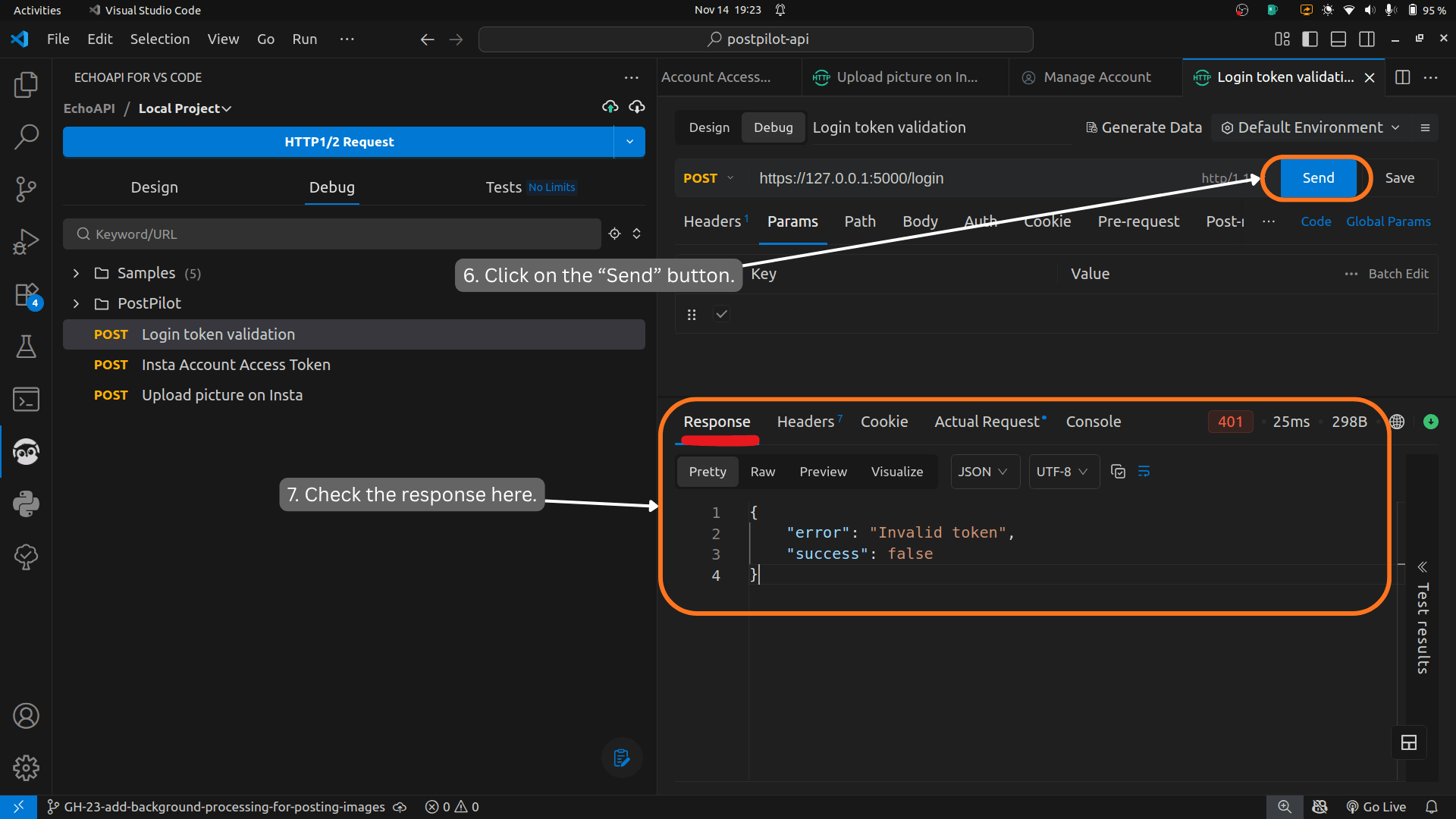
Then I click on the HTTP1/2 Request button to make a new request to my API. After that, I add an auth header with the bearer token as the key. Once the API server starts and I click Send, it should either approve the login token or reject it if it’s invalid.
This is just a very basic workflow, but the tool as a whole is huge and has a lot of other testing options. You can test with form data or even use it to document your ideas about what an endpoint should be (see the Design tab).
Before using EchoAPI, I used to use ThunderClient. I thought that product was perfect for my workflow. What ThunderClient lacked in UI and design, EchoAPI handled seamlessly, and it just feels like the superior product right now.
What about you? Do you use Postman or EchoAPI for your API testing?